
Ableton Push 1 vs Push 2 vs Push 3: Which to Buy in 2026?
Feb 28, 2025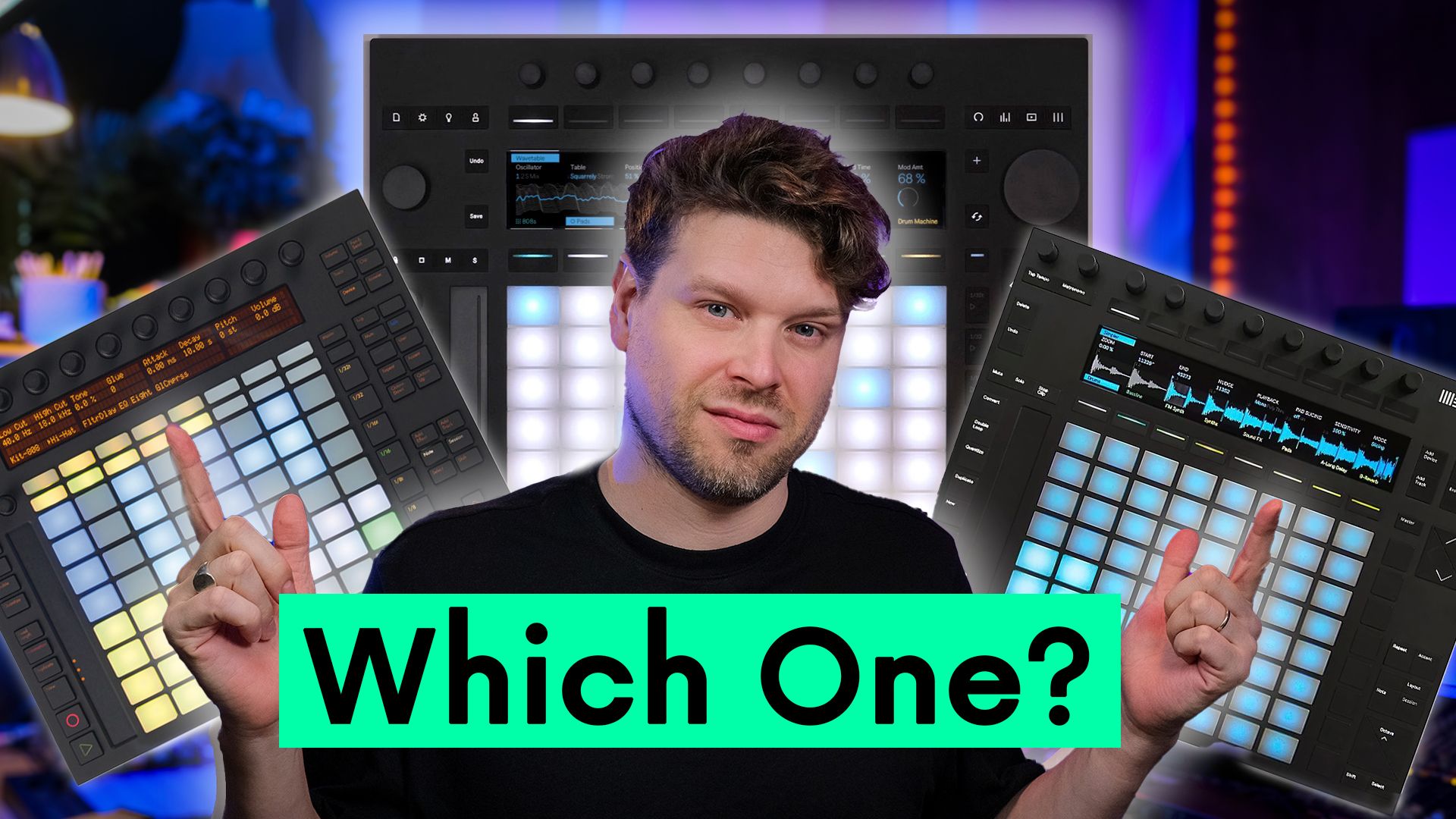
I personally own all 3 Ableton Push controllers. Push 1, Push 2, and Push 3 Standalone. So if you are weighing up Ableton Push 3 vs Push 2, or wondering whether Push 1 is still worth it in 2026, I can give you a properly honest answer based on real use, not spec sheets.
I bought Push 1 second hand for £90, which is an absolute steal for what it does. Push 2 also came to me second hand, and right now, for what they are, Push 2 controllers are an absolute steal on the second hand market too. Push 3 I bought the day it was released. I started with the controller version, then later upgraded it myself using the standalone upgrade kit.
So I have gone through the whole Push journey. I have owned each version, used them in real sessions, taught with them, filmed with them, performed with them, and tested them in proper creative workflows.
That is why I do not think this question is as simple as "Which Push is best?" For me, that is the wrong question. The better question is "What do you actually want Push to do for you?" Because Push 1, Push 2, Push 3 Controller, and Push 3 Standalone all make sense for different people.
There is not a secret best one. There is not some hidden answer that everyone is missing. It really depends on what you want from it.
My experience with Push
I have used Push 2 extensively for live performance. I have played countless shows with it, both with my own original music and as a session player for other artists. It has been a big part of my live setup over the years, and I know how reliable and powerful it can be in that kind of environment.
I have also taught with Push 2. When I was teaching creative technology to the creative artist cohort at ICMP in London, we would set up tables in a live room and work in groups to make music together. Push was a huge part of that.
I have done the same thing with Push 3 Standalone in the same room, and I have even compared Push 2 and Push 3 side by side with students. That was really interesting, because a lot of those students were first time Ableton Live users. Seeing how they reacted to Push 2 and Push 3 gave me a really useful perspective.
I have also covered Push 3 extensively inside my own online course. If you want a structured way in, my Ableton Push 3 course breaks down the device properly, unpacking the features, workflows, and where it fits for different types of Ableton users.
When it came to the core functions, students reacted in a very similar way across Push 2 and Push 3. Note Mode made sense. Drum Mode made sense. Session Mode made sense. Those are the things Push has always done really well.
But for beginners, I think Push 2 felt slightly more inviting in some ways, because it was still tethered to Ableton Live on the computer. If they wanted to do any fine editing, tweaking, or visual checking, they could look at the computer screen and fall back on the thing they were already used to.
Push 3 Standalone is amazing, but for a beginner, being fully away from the computer can sometimes be a bit more daunting.
The thing beginners struggle with
One of the main things I have seen beginners struggle with is browsing.
Finding sounds, loading instruments, moving around the library, choosing effects, and navigating Ableton's browser from Push can feel a bit fiddly at first.
Ableton are definitely improving this with tags, favourites, and better organisation, but I still think this part of the workflow could be more user friendly.
A good example came up in my teaching sessions. I would give students the Push Patterns free sample pack to work with, which you can grab yourself here. With Push 2, dragging samples in from the sample pack was quick and intuitive, because everything was tethered to Ableton Live on the computer. With Push 3 Standalone, there are a few more steps. That extra friction can be enough to discourage someone who is already on the fence with learning. Whether it is Push 1, Push 2, or Push 3 Controller, having it tethered to Ableton Live is usually a bit more intuitive for beginners.
Ableton Move is another good example of this done well. The way Move helps you find sounds quickly, and even loads sounds from the start, makes the whole thing feel more immediate.
With Push 3 though, the jog wheel makes a big difference. Even though the screen is basically the same size as Push 2, the way you move around the device is quicker. Watching first time users use the jog wheel was really interesting. Turning it, pressing it in, and clicking side to side seemed very intuitive.
That was one of the things that really stood out to me. Push 2 is still great, but the jog wheel on Push 3 genuinely improves the experience.
This is also where a question comes up a lot. "Should I learn Ableton Live first, or should I buy Push first?" That is a really important thing to think about, because Push can help you make music quicker, but it does not completely remove the need to understand Ableton Live. Especially when you want to edit, arrange, mix, and finish tracks. If you want to build that foundation properly, the Ableton Live 12 course takes you from beginner to confident producer step by step.
Does MPE matter for beginners?
For most beginners, I do not think MPE matters straight away.
At the start, most people are using Push to sequence, launch clips, trigger scenes, and get ideas down. They are not usually thinking about per note expression, slide, pressure, or playing orchestral instruments with detailed articulation. That comes later.
Once someone is comfortable with the basics, then MPE becomes more interesting. It starts to matter when you are using Push more like an instrument. But for a beginner, I would not say MPE should be the thing that makes them buy Push 3.
The bigger thing is that Push brings a sense of play into Ableton.
A lot of people do not start as producers. They start as musicians, beatmakers, DJs, guitarists, keyboard players, or just people who like making sounds. Then they have to learn how to record themselves and structure music in a DAW. Push bridges that gap. It makes Ableton feel less like software and more like something you can play.
That is where Push is really powerful. It is a creative sketchpad at the start, but it also bookends the whole process, because it can become an expressive live performance tool at the end. Ableton Live can sit in the middle as the place where you refine, edit, arrange, mix, and finish the track.
My honest opinion on Push 1 in 2026
I still think Push 1 is absolutely worth it, especially for the price.
If you can find one cheap, it is kind of ridiculous how much you get. You still get the main Push functions. Note Mode, drum sequencing, Session Mode, clip launching, scene launching, and hands on control of instruments and effects.
And honestly, if you have never tried the drum sequencer on a Push controller, you are missing out. It is fast, intuitive, and it feels a bit like using a hardware sequencer. That is one of the things Push has always done brilliantly.
The main downside of Push 1 is the screen. It has that old school Nokia 3210 style display. There is something quite charming and nostalgic about it, but it does feel dated compared to Push 2 and Push 3.
You can still access things in Ableton Live, load sounds, control devices, and move around, but it is not as smooth. Browsing and choosing sounds directly from Push 1 is not where it shines.
But if you are not bothered about loading sounds from the controller, and you mainly want something to play instruments, sequence drums, launch clips, and launch scenes, Push 1 is an absolute steal. For £50, £80, £90, or somewhere around that price second hand, it is hard to argue with. It gives you the core Push experience for very little money. For a deeper take on whether it still holds up, my Push 1 still worth it in 2026 breakdown goes through every workflow that still works today.
Where Push 2 sits now
Push 2 is really interesting.
I was halfway through filming a Push 2 course when Push 3 came out. A friend texted me and said, "The Push 3 is out. You might as well scrap your Push 2 course." At the time, I thought he was probably right.
I honestly thought Push 2 would become a forgotten piece of tech. I thought everyone would move on to Push 3, and Push 2 would just disappear into the background. So I deleted the course footage because I could not afford another hard drive at the time.
Now I regret that. Because since then, I have seen a massive uptake in Push 2.
The biggest reason is cost. Push 3 is expensive. Push 2 on the second hand market is much cheaper than buying Ableton Push 3 used, and for most people, it does a huge amount of what they actually need.
Ableton have also done something really good, which is that they have continued to support Push 2. They have updated it in line with the Push 3 workflow in certain ways. For example, you can now see clips on the Push 2 screen, which was not possible before Push 3 came out.
That makes Push 2 feel far from abandoned. In fact, other than the connections on the back of Push 3, standalone capability, MPE pads, and the jog wheel, Push 2 is still very close in terms of workflow.
The basic Push experience is still there. The screen is still excellent. You can edit MIDI notes. You can load instruments. You can control devices. You can launch clips. You can work deeply with Ableton from the hardware.
Compared with Push 1, Push 2 is a much bigger step up because of the screen. Push 1 feels more like a controller for Ableton. Push 2 starts to feel more like an instrument. That is the key difference for me.
Push 2 lets you get away from the computer a bit more. You can still look at Ableton Live when you need to, but the controller itself gives you enough feedback to stay focused on the hardware. And for live performance, Push 2 is still absolutely good enough. It has everything you need for a serious live setup.
Ableton Push 2 vs Push 3: what does Push 3 do differently?
Push 3 does make Push 2 feel older in a few specific ways.
The big ones are the connections, standalone mode, MPE pads, the jog wheel, audio and MIDI integration, CV possibilities, and expansion through audio interfaces or ADAT.
This is where Push 3 starts to become something more than just an Ableton Live controller. With CV over audio, CV Tools, MIDI DIN, MIDI over USB, audio inputs and outputs, ADAT expansion, and class compliant audio interface support, Push 3 can become the centre of a hardware setup.
That is a huge difference. If you are sequencing synths, connecting modular gear, recording instruments, or building a computer free live rig, Push 3 makes a lot more sense.
With Push 2, you can still do a lot of this, but you need extra gear. You might need an audio interface. You might need MIDI DIN. You might need a DC coupled interface for CV. You might need extra routing. And once you start buying higher end interfaces with the right connections, you can end up spending a lot of money anyway.
So if hardware integration is genuinely part of your workflow, Push 3 Controller might be more cost effective than buying a Push 2 and then adding loads of extra gear around it. But if you do not need that, Push 2 is still incredible value.
My honest take on Push 3 Standalone
My honest take on Push 3 Standalone is this. It is really good, but not in the way people often think.
A lot of people see the word standalone and imagine it as a portable Ableton laptop replacement. That is not really how I use it.
For me, Push 3 Standalone is not something I throw in a backpack and take out for the day. It is big. It is heavy. It gets hot. The battery lasts around 2 and a half hours. It does not feel like something I want to carry around all day. If you genuinely want to take it out and about, you would also need to factor in a proper Push 3 case to protect it, because it is not going to survive being chucked in a bag with everything else.
I think that is why Ableton Move exists. Move feels much more like the portable version of that standalone idea. If you want the full picture on where Move fits, my Ableton Move deep dive breaks down what it can and cannot do.
If you are weighing the 2 up directly, I have a full Ableton Move vs Ableton Push 3 comparison.
Push 3 Standalone, for me, is more like a separate section of my studio. I have what I call my creation station. That is where Push 3 Standalone lives. I have a Push 3 stand for it, so it sits at the right angle right next to my hardware synths and modular gear, ready to go.
I have it plugged into my hardware synths, modular gear, and an RME Fireface audio interface running in class compliant mode. I use it as a sequencer, recorder, and almost like a digital tape machine. It feels like a DAWless DAW setup.
I am still using Ableton, but I am not sitting at the computer. That is the whole point for me. It puts me in a different mindset. If I have been on the computer all day, I do not always want to sit in front of another screen and carry on producing in the same way.
With Push 3 Standalone, it feels more like I am playing a group of instruments. I am listening. I am reacting. I am recording ideas. I am making decisions in real time. And I definitely get different creative results from that.
Push 3 is not just Ableton but slower
One comment I have seen a few times is "Push 3 is just Ableton Live but slower."
I understand why people say that, but I think it misses the point.
Push 3 is not about being faster than Ableton Live on a computer. Of course there are things that are faster with a mouse and keyboard. Drawing MIDI notes can be faster. Editing automation can be faster. Arranging a full track can be faster. But that is not really the point.
Push is a different way of making music. It is about playing, reacting, jamming, automating in real time, and getting into the flow of actually making music.
Some people make amazing stuff by drawing MIDI in the piano roll. That works for them. For me, I usually come up with my best ideas when I am physically reacting to sound. Fingers on a string. Fingers on keys. Fingers on pads. Turning knobs. Recording automation. Responding to what I am hearing. That is what Push gives you.
It is not about speed. It is about the quality of the ideas you get out of yourself. If you are working quickly in a DAW but the ideas are stale, then speed is not really helping you.
Why I started with Push 3 Controller
If I were buying Push 3 again, I would do exactly what I did the first time. I would buy the controller version first. Then I would only upgrade to standalone once I felt the limitation.
That is what happened to me. At first, I bought Push 3 Controller when it came out. Then over time, I realised I did not want to stay tied to the computer. I wanted Push over in another part of the studio with my synths and modular gear. That is when standalone started to make sense.
The Ableton Push 3 upgrade kit is a really good move from Ableton. You can start with the controller version, save money, then upgrade later if you actually need it.
I installed the upgrade kit myself, and it was surprisingly simple. I am not the most technical person when it comes to opening up gear, and I managed to do it without any real struggle.
That is why I think the controller version is the smarter starting point for most people. You can always expand later. But you cannot really do it the other way around. If you buy Standalone straight away, you cannot downgrade it into a cheaper controller version and get the money back.
So financially, the safer route is to buy Push 3 Controller first, use it properly, then upgrade only if you genuinely need standalone.
Ableton Push 1 vs Push 2: what is the difference?
The screen. That is the honest headline answer.
Push 1 has a small character display. It shows you names and values, and not a lot else.
Push 2 has a colour screen, and that changes what you can do without looking at the computer. You can see clips, edit MIDI notes, load instruments and move around Ableton Live from the hardware itself.
The core workflow is the same on both. Note Mode, Drum Mode, Session Mode, clip launching and scene launching all behave the way you would expect.
So Push 1 is a brilliant player and drum sequencer at a very low second hand price. It is the cheapest way to get the Push workflow under your fingers.
Push 2 is the one to stretch for if you want to work away from the computer screen rather than next to it.
If budget is the deciding factor, buy Push 1 and spend the difference on something else. If browsing and editing from the hardware matters to you, that is what the extra money buys.
Who should buy Push 1?
Push 1 is for someone who wants the core Push experience as cheaply as possible.
If you mainly want to launch clips and scenes, play instruments in Note Mode, sequence drums in Drum Mode, and control some devices in Ableton Live, Push 1 is still great. It is limited compared with the newer models, especially because of the screen, but the main functions are still strong.
For someone on a tight budget, it is a brilliant entry point. You get a lot of the Push workflow for very little money.
Who should buy Push 2?
Push 2 is for someone who wants to be away from the computer a bit more, but does not need all the modern Push 3 extras.
The screen is the big thing. It lets you edit MIDI clips, see what is happening, load instruments more easily, control devices, and work with Ableton in a much deeper way than Push 1.
Push 2 is where Push starts to feel less like a controller and more like an instrument. For most studio based Ableton users, I think Push 2 is probably the sweet spot. Especially at second hand prices.
Who should buy Push 3 Controller?
Push 3 Controller is for someone who wants the modern Push hardware, but does not need standalone.
You get the better pads. You get MPE. You get the jog wheel. You get the extra connections. You get audio and MIDI possibilities. You get CV possibilities. But you are still using it with Ableton Live on the computer.
For many people, this is the smarter Push 3 option. Especially if you want the expressive pads and modern connectivity, but you are not actually trying to build a computer free setup.
Who should buy Push 3 Standalone?
Push 3 Standalone is for someone who really wants Push to be the centre of a setup.
That might be a hardware synth setup, a modular setup, a live performance rig, a writing station away from the computer, or a studio setup where you want to use Ableton without sitting in front of the main computer screen.
It is also a great option for people who really do not want a laptop on stage. If you have that thing in your head where you think, "I want to perform with Ableton, but I do not want a laptop on stage," then Push 3 Standalone gives you that.
But I still think it is a niche choice. It is amazing for the right person. But I would not tell most people to start there.
The biggest buying mistake
The biggest mistake I see is people buying Push 3 Standalone when all they really need is Push 1, Push 2, or Push 3 Controller.
If you are going to plug it into the computer all the time, and you mainly want to launch scenes, play in Note Mode, and use Drum Mode, you probably do not need standalone. You might love the screen. You might love the jog wheel. You might love the newer pads. But most of the time, the controller version is enough.
Standalone is a very specific thing. It is brilliant if you actually need it. But it is a lot of extra money if you do not.
Another mistake is assuming MPE will matter straight away. MPE is amazing, especially if you use Push as an expressive instrument. It can be brilliant for strings, woodwinds, synths, and anything where per note movement matters. And with XYZ Mode, Push has also become more than an expressive instrument. It is now becoming an expressive effects controller too. If you want a full breakdown of what XYZ Mode does and how it changes the way you perform, my Ableton Push 3 XYZ Mode breakdown covers it in depth.
But if you are just starting out, MPE is probably not the thing you will use first. You will probably use clips, scenes, drums, scales, and basic instrument control first.
My personal upgrade path advice
If money is tight, and you want deep Ableton integration, I would 100% consider Push 1. I still have one in my studio. I still use it. There is something nostalgic and retro about the screen as well, which I quite like.
If you have a bit more money, I would look at Push 2. For most people, Push 2 is still probably the best balance of price, features, and workflow.
If you want the newer connections, MPE pads, jog wheel, audio, MIDI, and CV options, then look at Push 3 Controller. Then, only upgrade to Push 3 Standalone when you actually feel the need for it.
That is the key thing. Do not buy Standalone because you think it is automatically the best one. Buy it because you know why you need it.
Key Takeaways
- Pick the Push that fits how you actually want to make music. "Which is best" is the wrong question. "What do you want Push to do for you?" is the right one.
- Push 1 second hand is still an absolute steal. At £50 to £90, you get Note Mode, drum sequencing, Session Mode, and clip launching. The screen is dated, but the core Push experience is intact.
- Push 2 is the sweet spot for most studio based Ableton users. The screen turns it from a controller into an instrument, and second hand prices make it incredible value.
- Push 3 only makes financial sense if you actually need its extras. Standalone mode, MPE pads, the jog wheel, CV, and audio integration are powerful, but only if you have a use for them.
- Always start with Push 3 Controller, not Standalone. You can self install the upgrade kit later. You cannot downgrade Standalone into a Controller and get your money back.
- The biggest buying mistake is jumping straight to Standalone. If you plug it into the computer all day, you probably did not need it.
Final Thoughts
On Push 3 vs Push 2 vs Push 1, there is no single best Push. Push 1 is still an amazing bargain. Push 2 is still probably the best value for most Ableton users. Push 3 Controller is the smart modern option if you want the newer hardware and connectivity. Push 3 Standalone is brilliant, but it is for a specific type of user.
The main thing is to figure out what you actually want Push to do. Do you want to launch clips and play drums? Do you want to control Ableton from the hardware? Do you want to get away from the computer a bit more? Do you want MPE and expressive pads? Do you want to sequence hardware? Do you want to perform without a laptop? Do you want Push to be the centre of a standalone setup?
Once you know that, the decision becomes much easier.
My general advice is simple. Do not start with Push 3 Standalone unless you already know why you need it. For most people, start with Push 1, Push 2, or Push 3 Controller, then expand later if the standalone workflow genuinely makes sense for you.
If you want to see all 3 Push controllers in action and hear the rest of my breakdown, head over to the Push Patterns YouTube channel.
Full video review:
Frequently Asked Questions
Is the Ableton Push 2 still worth buying in 2026?
Honestly, yes. For most studio based Ableton users, Push 2 is still the sweet spot, especially second hand. Ableton have continued to support it with updates, the screen is still excellent, and you can pick one up at a fraction of what Push 3 costs. The big things you give up are MPE pads, the jog wheel, standalone mode, and the modern connections. None of those are dealbreakers if you mainly want to launch clips, sequence drums, edit MIDI, and play instruments. For around £200 to £300 second hand, it is hard to argue with.
What is the difference between Ableton Push 3 vs Push 2?
The core workflow on Ableton Push 3 vs Push 2 is very close. Note Mode, Drum Mode, and Session Mode all behave in a similar way. The differences sit on top of that. Push 3 has MPE pads, a jog wheel for browsing, a built in audio interface, MIDI DIN, ADAT expansion, CV outputs, and a standalone option. Push 2 has none of those. If you do not need any of them, Push 2 still does almost everything you would want from a Push controller. If you need standalone, modular gear connections, or expressive pads, Push 3 starts to make sense.
Is the Ableton Push 3 upgrade kit hard to install?
Not really. I installed mine myself, and I am not the most technical person when it comes to opening up gear. Ableton designed the kit to be straightforward, with all the tools included, a protective mat, the screws sorted in a parts tray, and a step by step video to follow. It takes around 30 minutes if you go slowly, and there is no soldering involved. The 1 thing to be careful of is using the correct battery screw, because the wrong 1 can damage the case. Other than that, it is a calm, methodical job that almost anyone can do.
Should I buy a used Ableton Push 3 or a Push 2?
It depends on what you actually want to do with it. A used Push 2 at £200 to £300 covers everything most studio based Ableton users need. A used Ableton Push 3 is much more expensive and only worth the extra if you genuinely want MPE, the jog wheel, the built in audio interface, CV, or the option to upgrade to standalone later. If you are sequencing hardware synths, building a modular setup, or planning to perform without a laptop, used Push 3 makes sense. If you are mainly launching clips and producing in front of a computer, used Push 2 is still the smarter spend.
Can I take the Ableton Push 3 Standalone out and about?
You can, but it is not really designed for that. The unit is big, heavy, gets warm, and the battery only lasts around 2 and a half hours. If you genuinely want to take it out, you would also need to factor in a proper Push 3 case to protect it, because it is not going to survive being chucked into a backpack with everything else. For me, Push 3 Standalone lives in the studio as part of my creation station, not as a portable workstation. If portability is what you actually want from Ableton hardware, Ableton Move is much better suited to that role.
About the Author
Craig Lowe is a professional touring playback engineer and Ableton Live educator based in the UK. He teaches at ICMP, BIMM, and ThinkSpace Education, and runs Push Patterns, a music production education brand at pushpatterns.com.
If you are interested in learning Ableton Live 12 or the Push 3 in a bit more detail, check the course here:
